




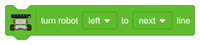

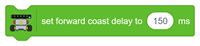






This block starts automatic line following and continues until the robot detects the specified number of checkpoints.
How It Works
The robot continuously monitors the five IR sensors and adjusts its motor speeds according to the detected line position.
During operation:
- Line Detection: The robot follows the path using the configured speed parameters.
- Checkpoint Detection: A sufficiently wide line marking activates multiple IR sensors and is treated as a checkpoint candidate.
- Checkpoint Confirmation: The system verifies the reading before counting the checkpoint.
- Line Recovery: If the line is temporarily lost, the robot attempts to recover it according to the implemented line-following logic.
Once the specified number of checkpoints is detected, the robot stops the line-following operation.
Python Function – Quarky and Quarky Intellio:
lf5ir.followlineuntilcheckpoint(1)
Example: Set the checkpoint count to 1. The robot follows the line and stops when the first checkpoint is detected and confirmed.
Line Follower with Adaptive Feedback
This section provides blocks for PID-based line following, allowing the robot to calculate steering corrections continuously.
PID stands for Proportional–Integral–Derivative. It uses the detected line-position error to adjust the motor speeds and improve steering accuracy.
Compared with standard line following, PID control can provide smoother movement and better tracking when its parameters are correctly tuned.