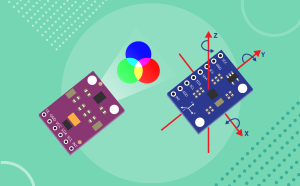

Quarky Advance Sensors Extension

Quarky Advance Sensors Extension feature
Extension Description
Learn how to use the Quarky Advance Sensors extension in PictoBlox with Pulse Sensor, OLED Display, LCD, Color Sensor, Water Flow Sensor, pH Sensor, MPU6050, and ADXL345.

Introduction

The Quarky Advance Sensors Extension helps users explore real-world data using different sensors connected to Quarky. With this extension, users can read sensor values, detect environmental changes, display information on screens, and build interactive projects.

This extension is useful for creating projects related to health monitoring, color detection, motion sensing, water flow measurement, pH value reading, and display-based outputs. Users can connect sensors such as the HW827 Pulse Sensor, APDS9960 Color Sensor, MPU6050 Motion Sensor, TCS3472 RGB Sensor, Saier Water Flow Sensor, pH Sensor, OLED Display, LCD 16×2, and ADXL345 Accelerometer.

By using this extension, students learn how sensors collect data from the physical world and how PictoBlox can process and display that data through simple block coding.

Key Features:

  • Real-time heart rate monitoring
  • High-quality OLED and LCD text display
  • Color detection and proximity sensing
  • Motion, orientation, and acceleration tracking
  • pH and water flow measurement

Accessing the Quarky Advance Sensors Extension

In this section, you will add the Quarky Advance Sensors Extension to your PictoBlox project. Once added, the sensor blocks will appear in the Blocks Palette and can be used to create sensor-based projects.
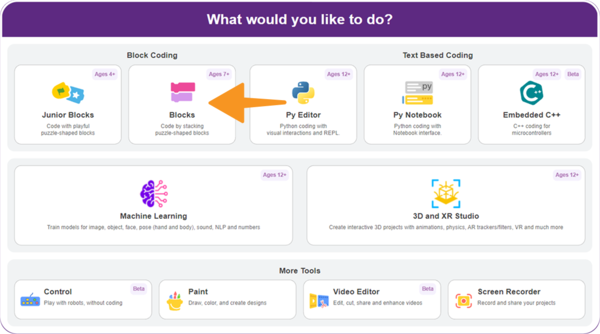
  1. Open PictoBlox and select the Block Coding environment.
    Select the Block Coding environment
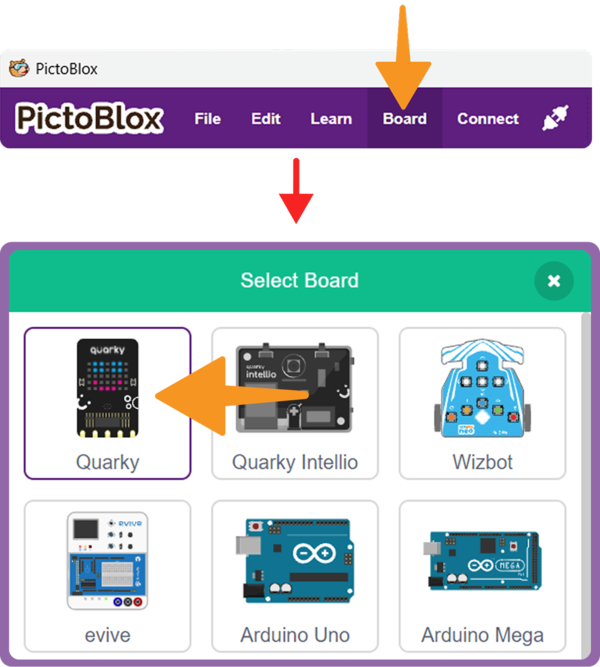
  2. Click on the Board button from the toolbar and select Quarky.Select the Quarky Board
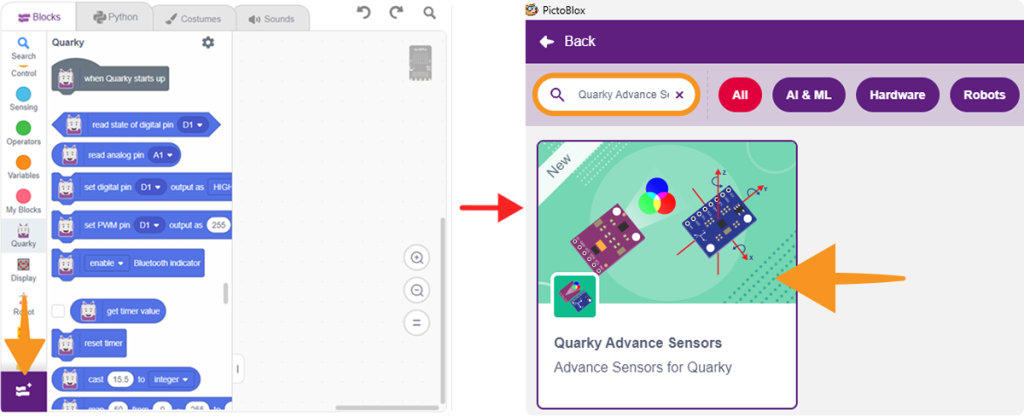
  3. Click on Add Extension from the Blocks Palette and in the search bar, type Quarky Advance Sensors.
  4. Select Quarky Advance Sensors from the extension list.
    Select Quarky Advance Sensors from the extension list
  5. The Quarky Advance Sensors blocks will now appear in the Blocks Palette.
  6. For detailed instructions on connecting your Quarky board via Serial Port (USB), please refer to the official guide: Quarky Serial Port Connection.

Quarky Advance Sensors Blocks

The Quarky Advance Sensors Extension includes different blocks for working with sensors, displays, and I2C devices. Each block is designed to make hardware interaction simple for students using PictoBlox.

1. Color Sensor APDS9960

The APDS9960 Color Sensor is used to detect light values, color values, proximity, and saved color profiles.

Initialize Color Sensor

This block initializes the APDS9960 Color Sensor using the selected SCL and SDA pins.

Get Light Level

This block returns the selected light value from the sensor. It can be used to read ambient, red, green, or blue light levels.

Get Light Level in HSV Model

This block returns the selected HSV value, such as hue, saturation, or brightness, from the detected color.

Is Color Detected?

This block checks whether the selected color is detected by the sensor and returns a true or false value.

Get Proximity Value

This block returns the proximity value detected by the sensor. It can be used to check how close an object is to the sensor.

Save Detected Color to Profile

This block saves the currently detected color as a color profile. The saved profile can be used later for color matching.

Delete All Color Profiles

This block deletes all saved color profiles from the sensor memory.

Is Color Profile Detected?

This block checks whether a saved color profile is detected or not.

2. Gyroscope and Accelerometer MPU6050

The MPU6050 sensor is used to measure acceleration, gyroscope values, tilt angles, and temperature.

Initialize MPU6050 Sensor

This block initializes the MPU6050 motion sensor using the selected SCL and SDA pins.

Get Accelerometer Value

This block returns the acceleration value along the selected X, Y, or Z axis.

Get Gyroscope Value

This block returns the gyroscope value along the selected X, Y, or Z axis.

Get Orientation Angle

This block returns the tilt or orientation angle of the selected axis.

Get Temperature Value

This block returns the temperature value measured by the MPU6050 sensor.

Turn Robot by Angle

This block turns the robot left or right by the selected angle using gyroscope feedback. The MPU6050 sensor should be securely mounted on the robot to ensure accurate turning.

3. Pulse Sensor HW827

The HW827 Pulse Sensor is used to detect whether a finger is placed on the sensor and to read the pulse count.

Initialize Pulse Sensor

This block initializes the Pulse Sensor on the selected analog pin, such as A1.

Is Finger Present on Pulse Sensor?

This block checks whether a finger is placed on the Pulse Sensor and returns true or false.

Get Pulse Count

This block returns the pulse count when a finger is placed on the Pulse Sensor.

4. Water Flow Sensor

The Saier Water Flow Sensor is used to measure water flow rate and total water volume.

Initialize Water Flow Sensor

This block initializes the Water Flow Sensor on the selected pin.

Get Water Flow Rate

This block returns the current water flow rate.

Get Total Volume

This block returns the total volume of water that has passed through the sensor.

Reset Total Volume

This block resets the total water volume value to zero. It is useful when starting a new reading.

5. Color Sensor TCS3472

The TCS3472 RGB Sensor reads red, green, and blue color values and detects colors using threshold values.

Initialize TCS3472 Sensor

This block initializes the TCS3472 RGB Sensor using the selected SCL pin, SDA pin, and I2C address.

Get Raw Value of Color

This block returns the raw value of the selected color channel, such as red, green, or blue.

Is Color Detected at Threshold?

This block checks whether the selected color is detected based on the given threshold value.

Detect Color for Threshold

This block detects the color based on the selected threshold value.

6. pH Sensor

The pH Sensor is used to measure the pH value of a liquid.

Initialize pH Sensor

This block initializes the pH Sensor on the selected analog pin.

Get pH Value

This block returns the pH value detected by the sensor.

7. OLED Display SSD1306

The OLED Display SSD1306 is used to show text or sensor values on a small display screen.

Initialize OLED Display

This block initializes the OLED Display using the selected SCL and SDA pins.

Clear Display

This block clears the content currently shown on the OLED Display.

Display Text

This block displays the entered text or value on the OLED Display.

Scroll Text

This block scrolls the entered text on the OLED Display.

8. I2C Address Scan

The I2C Address Scan block is used to find the I2C address of a connected device.

I2C Address Scan

This block scans the connected I2C device and returns its I2C address. It is useful when working with sensors or displays that require an address value.

9. LCD 16×2

The LCD 16×2 display is used to show text, values, and simple symbols on a 16-column and 2-row screen.

Initialize LCD

This block initializes the LCD using the selected SCL pin, SDA pin, and I2C address.

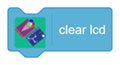
Clear LCD

This block clears all text currently displayed on the LCD.

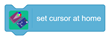
Set Cursor at Home

This block moves the cursor to the starting position of the LCD display.

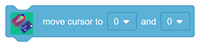
Move Cursor

This block moves the cursor to the selected row and column position.

Display and Blink Text

This block displays the entered text and blinks it at the selected time interval for the selected number of times.

Display Text

This block displays the entered text on the LCD screen.

Scroll Text

This block scrolls the entered text with the selected delay.

Display Symbol

This block displays a selected symbol, such as a heart or smiley, at the specified row and column.

10. Accelerometer ADXL345

The ADXL345 Accelerometer is used to measure acceleration, net acceleration magnitude, roll angle, pitch angle, and tap detection.

Initialize ADXL345 Sensor

This block initializes the ADXL345 Accelerometer using the selected SCL pin, SDA pin, and I2C address.

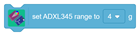
Set ADXL345 Range

This block sets the measurement range of the accelerometer.

Get Acceleration Along Axis

This block returns the acceleration value along the selected X, Y, or Z axis.

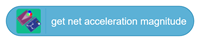
Get Net Acceleration Magnitude

This block returns the combined acceleration magnitude calculated from all axes.

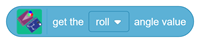
Get Roll or Pitch Angle

This block returns the roll or pitch angle value based on the sensor position.

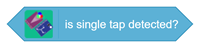
Is Single Tap Detected?

This block checks whether a single tap is detected by the ADXL345 sensor and returns true or false.

Conclusion

The Quarky Advance Sensors Extension helps users connect real sensors and display modules with Quarky and PictoBlox. It allows students to build interactive projects that collect data from the environment and display the results in a simple and meaningful way.

Using this extension, students can explore sensor-based projects such as pulse monitoring, water flow measurement, color detection, motion sensing, pH value reading, OLED output, LCD display control, and accelerometer-based interaction.

Read More
Table of Contents