

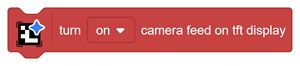
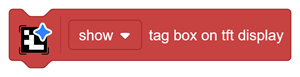

This block controls the live camera view on a connected TFT display.
On
Displays the image currently captured by the onboard camera.
This is useful for checking:
- Whether the tag is inside the camera frame
- Whether light is reflecting from the tag
- Whether the tag appears too small
- Whether the full border is visible
- Whether the camera is correctly positioned
Off
Stops updating the live camera feed.
Turning the feed off can improve detection performance because Intellio no longer needs to update the display continuously.
The live camera view is displayed only when the supported TFT setup is connected to Intellio.