






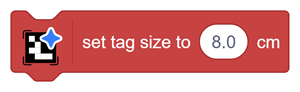






This block sets the physical side length of the printed AprilTag.
Enter the size in centimetres.
Measure the complete printed tag side used for detection, including its outer marker boundary. The value entered in this block is used for pose and distance calculations.
Correct tag size is particularly important for:
- 3D Position X
- 3D Position Y
- 3D Position Z
- Distance measurement
- Yaw
- Pitch
- Roll
An incorrect tag-size value can allow the tag to be detected, but the reported distance and orientation values may be inaccurate.
Example
When the printed tag measures 10 cm × 10 cm, set the tag size to:
10 cm
Do not enter 5 cm unless the actual printed marker measures 5 cm on each side.