Intellio Advance Sensors Extension

Quarky Advance Sensors Extension
Extension Description
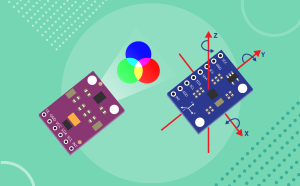
The Quarky Advance Sensors Extension allows you to easily work with a wide range of external sensors and displays connected to Quarky Intellio. This extension enables real-world data collection, sensor monitoring, and interactive displays — all controlled through simple blocks in PictoBlox.

Introduction

Quarky Intellio is a powerful AI learning module, and the Advance Sensors Extension expands its capabilities by connecting external sensors and displays. With this extension, you can:

  • Monitor health data using pulse/heart rate sensors
  • Detect colors and proximity with color sensors
  • Track motion and orientation with accelerometers and gyroscopes
  • Measure environmental conditions (temperature, pressure, altitude, humidity, weather patterns)
  • Detect obstacles with distance and LiDAR sensors
  • Monitor power and current consumption with current/power sensors
  • Display information on OLED and LCD screens
  • Measure water flow rate and pH levels
  • Track GPS location with a NEO-6M GPS module

This extension is perfect for building projects related to robotics, environmental monitoring, health tracking, obstacle avoidance, and data visualization. By using the Advance Sensors Extension, you learn how sensors collect data from the physical world and how PictoBlox processes and displays that information in real time.

Connecting Quarky Intellio with PictoBlox

Let’s begin by first connecting Quarky Intellio to PictoBlox. Follow the step-by-step instructions in the Quarky Intellio Connection Guide to establish the connection.

Refer to the guide here:
Connection Guide Redirection Page

Read More

PictoBlox Blocks

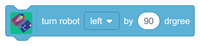
This block turns the robot left or right by the selected angle using gyroscope feedback. The MPU6050 sensor should be securely mounted on the robot to ensure accurate turning.
Returns the current GPS location as a formatted text string containing latitude and longitude. For example, the output may be 22.307200 N, 73.181200 E. If the GPS module has not obtained a satellite fix, the block returns No Fix. This block is useful for displaying location on an OLED or LCD.
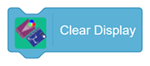
This block clears all text currently displayed on the LCD.
This block deletes all saved color profiles from the sensor memory.
This block detects the color based on the selected threshold value.
This block displays the entered text and blinks it at the selected time interval for the selected number of times.
This block displays a selected symbol, such as a heart or smiley, at the specified row and column
This block returns the acceleration value along the selected X, Y, or Z axis.
Performs a 360-degree scan and returns the angle, in degrees, at which the nearest obstacle is detected. Use this block with Get Nearest Obstacle Distance to determine both the distance and direction of the closest obstacle. Returns -1 if no valid scan data is received.
Returns an estimated altitude in meters above sea level, calculated from the current atmospheric pressure. The calculation assumes a standard sea-level pressure of 1013.25 hPa. Actual readings may vary with local weather conditions.
Returns the atmospheric pressure measured by the BME280 sensor in hectopascals (hPa). Standard atmospheric pressure at sea level is approximately 1013 hPa. Pressure readings can be used to study altitude and changes in atmospheric conditions.
Returns the ambient temperature measured by the BME280 sensor in degrees Celsius. The typical temperature accuracy is approximately ±0.5°C.
Returns the distance to the nearest detected object in the selected direction, measured in millimetres. The block measures within approximately ±8° of the selected angle. Available directions: Front: 0° Front-right: 45° Right: 90° Back-right: 135° Back: 180° Back-left: 225° Left: 270° Front-left: 315° Returns -1 if no valid object is detected in the selected direction.
Returns the distance to the nearest detected surface in millimetres. The sensor measures distance using infrared laser light. The approximate measurement range is 50–1200 mm. Returns -1 if the reading times out or no valid object is detected within range.
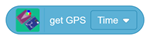
Returns the current time or date obtained from the GPS module. Time: Returns the time in HH:MM:SS format, such as 10:30:05. Date: Returns the date in DD/MM/YY format, such as 27/07/26. GPS time is provided in UTC and is not automatically adjusted to the local time zone.
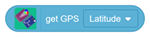
Returns the GPS measurement selected from the dropdown menu. Available options: Latitude: Returns the current latitude in decimal degrees. Longitude: Returns the current longitude in decimal degrees. Altitude: Returns the estimated height above sea level in metres. Speed: Returns the current speed in kilometres per hour. Satellites: Returns the number of satellites currently locked. Course: Returns the heading direction in degrees, from 0° to 360°.
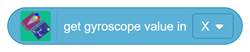
This block returns the gyroscope value along the selected X, Y, or Z axis.
Returns the electrical measurement selected from the dropdown menu. Available options: Bus Voltage: Returns the load voltage in volts. Current: Returns the current flowing through the shunt resistor in milliamps. Power: Returns the calculated power consumed by the load in milliwatts. Shunt Voltage: Returns the voltage drop across the shunt resistor in millivolts.
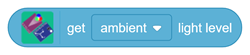
This block returns the selected light value from the sensor. It can be used to read ambient, red, green, or blue light levels.
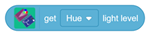
This block returns the selected HSV value, such as hue, saturation, or brightness, from the detected color.
Performs a 360-degree scan and returns the distance to the nearest detected obstacle in millimetres, regardless of its direction. Returns -1 if no valid scan data is received.
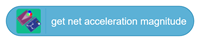
This block returns the combined acceleration magnitude calculated from all axes.
This block returns the tilt or orientation angle of the selected axis.
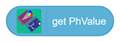
This block returns the pH value detected by the sensor.
This block returns the proximity value detected by the sensor. It can be used to check how close an object is to the sensor.
This block returns the pulse count when a finger is placed on the Pulse Sensor.
This block returns the raw value of the selected color channel, such as red, green, or blue.
This block returns the roll or pitch angle value based on the sensor position.
All articles loaded
No more articles to load
Table of Contents