



Introduction
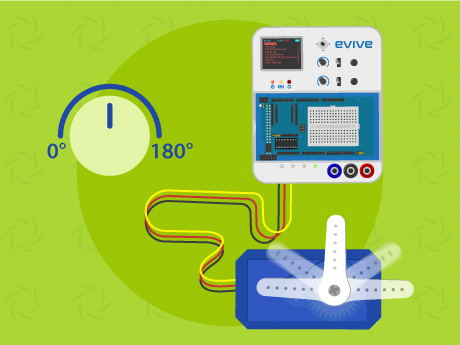
Servo motors are widely used in robotics, automation, robotic arms, camera pan-tilt systems, and smart devices because they provide precise angular movement. Unlike DC motors, servo motors can rotate to a specific angle based on control signals.
In this project, evive sends position commands to a servo motor, making it rotate from 0° to 180° and back to 0° repeatedly.
Students will learn:
- Servo Motor Basics
- Angle Control
- Loops and Repetition
- Embedded Programming
- Motion Automation
Step-by-Step Block Coding
Step 1: Select the Board
- Open PictoBlox.
- Select evive as the board.
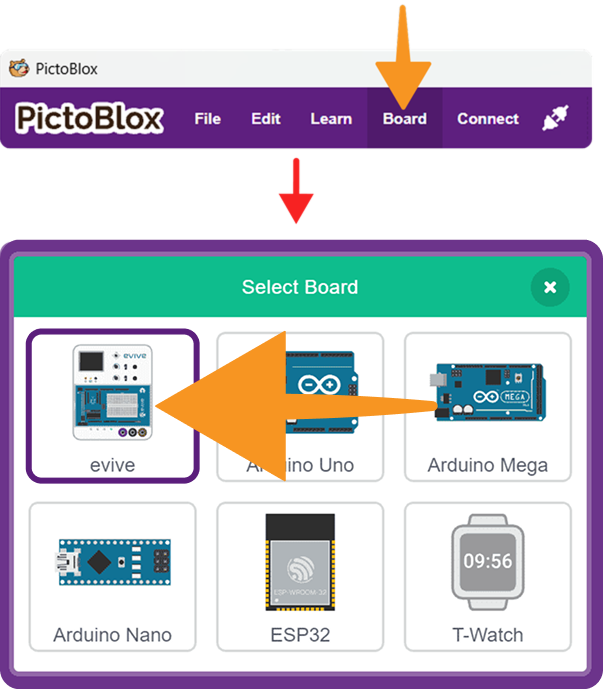
- Switch to Upload Mode.
Step 2: Start the Program
- Go to the evive Extension.
- Drag the when evive starts up block into the scripting area.

- This block starts the program automatically when evive powers on
Step 3: Create the Angle Variable
Go to the Variables palette.
Create a variable named Angle.
Set its initial value to 0 using the set Angle to 0 block.
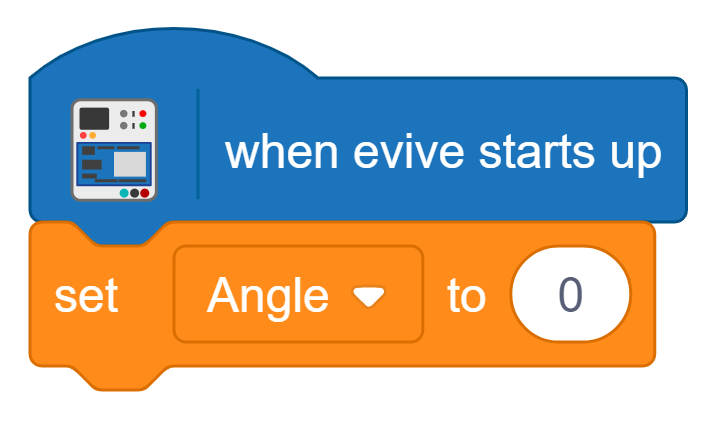
This ensures the servo begins from its starting position.
Step 4: Add a Forever Loop
From the Control palette, drag a forever block.
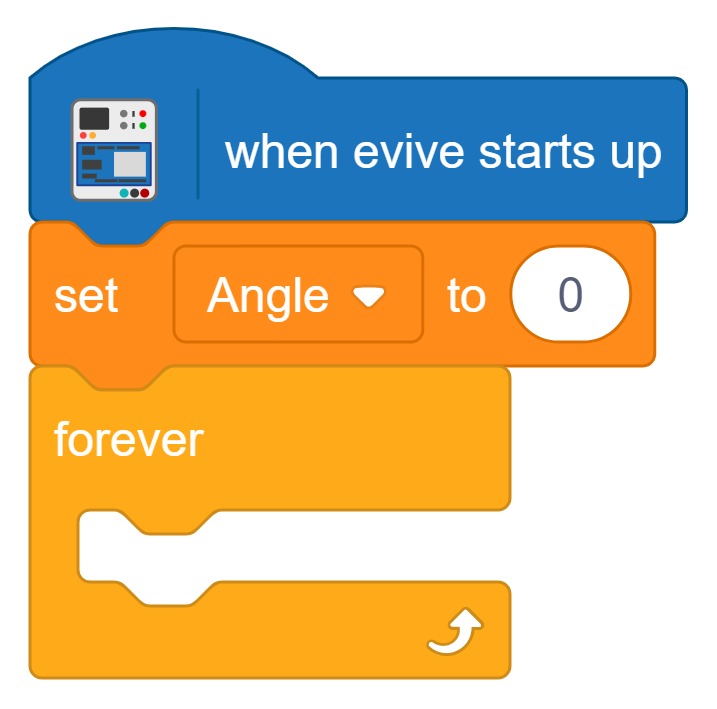
All servo movements will be placed inside this loop.
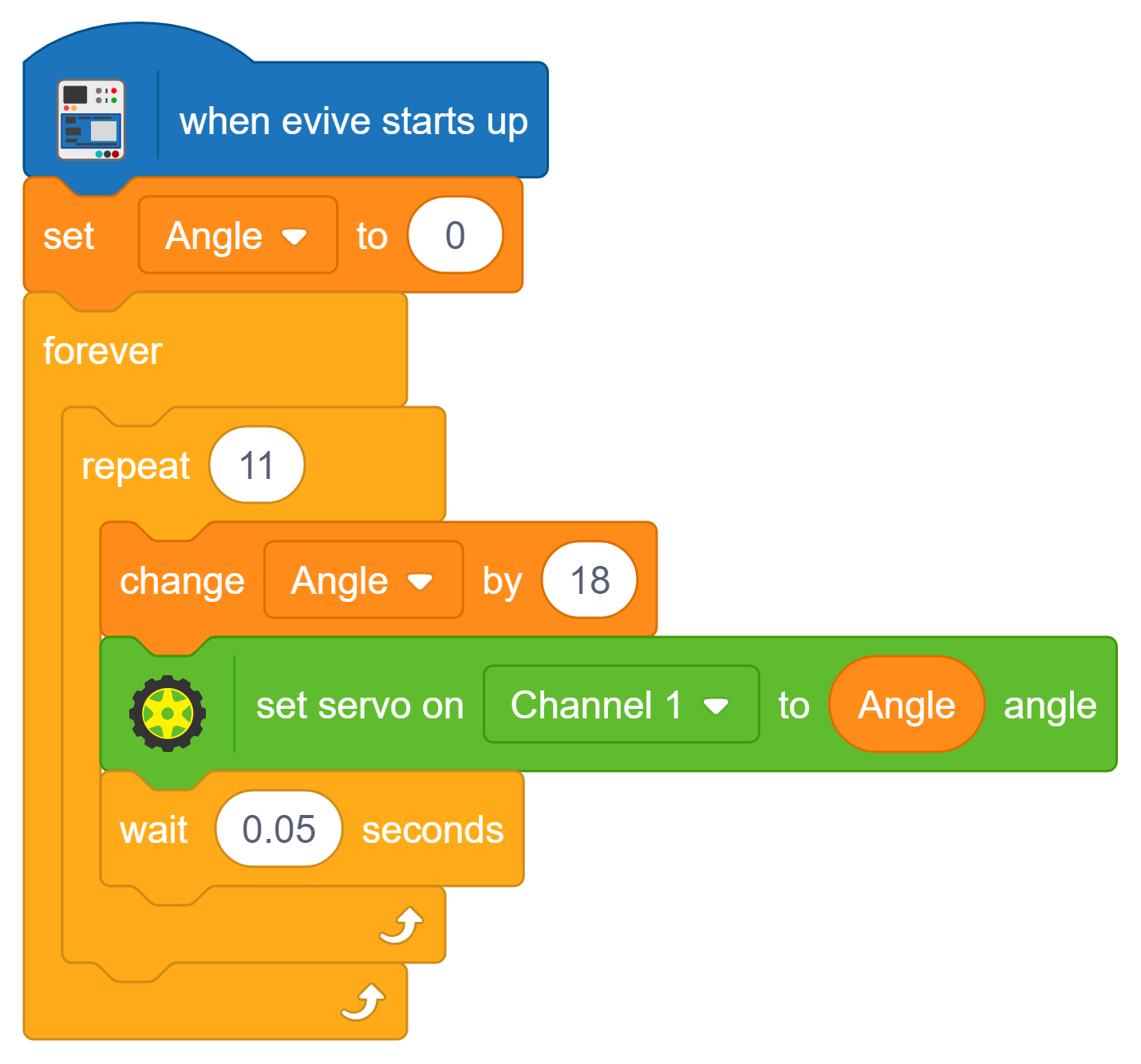
Step 5: Create the Forward Sweep
Inside the Forever block, add a Repeat 11 block.
Inside the Repeat block:
- Change Angle by 18
- Set Servo on Channel 1 to Angle
- Wait 0.05 seconds
This gradually increases the servo angle from 0° to 180°.
Step 6: Create the Reverse Sweep
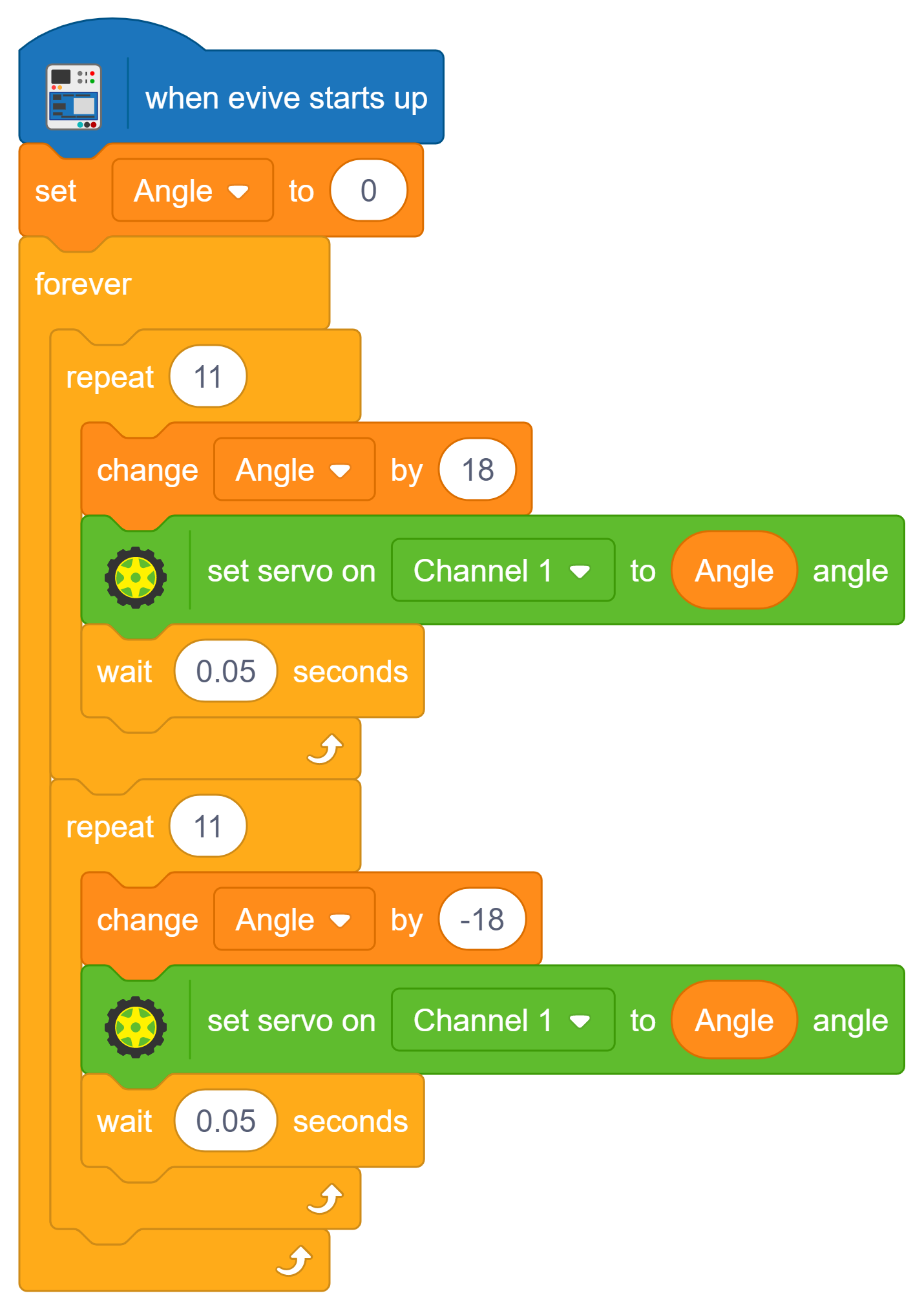
After the first Repeat block, add another Repeat 11 block.
Inside it:
- Change Angle by -18
- Set Servo on Channel 1 to Angle
- Wait 0.05 seconds
This smoothly moves the servo back from 180° to 0°.
Output :
After uploading the program:
- Servo rotates to 0°
- Servo rotates to 90°
- Servo rotates to 180°
- Servo rotates back to 90°
- Servo returns to 0°
- The sequence repeats continuously
Conclusion
This project demonstrates how to control a servo motor using evive and PictoBlox by commanding it to move to specific angles. Students learn the fundamentals of servo motor interfacing, angle control, and repetitive motion using loops. It serves as an excellent beginner project for robotics, automation, and embedded systems, while providing a strong foundation for advanced applications such as robotic arms, pan-tilt mechanisms, and smart automation projects.