
Robot (Arduino Alvik)

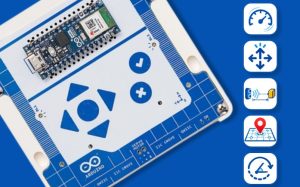
Robot (Arduino Alvik) board
Extension Description
Control Arduino Alvik’s movement, speed, direction, rotation, distance, and estimated position using PictoBlox blocks and Python functions.

Introduction

The Robot (Arduino Alvik) blocks allow users to control the robot’s movement and navigation through PictoBlox. These blocks support directional movement, speed control, distance-based navigation, angle-based rotation, and position tracking.

Using these blocks, you can:

  • Move Arduino Alvik forward, backward, left, or right.
  • Control robot movement using speed percentages or RPM.
  • Move the robot for a specified duration.
  • Travel a defined distance in centimetres.
  • Rotate the robot by a specified angle.
  • Stop the robot’s movement.
  • Read and reset the estimated robot position.

These blocks are useful for developing robot navigation, movement sequences, obstacle courses, and autonomous robotics projects.
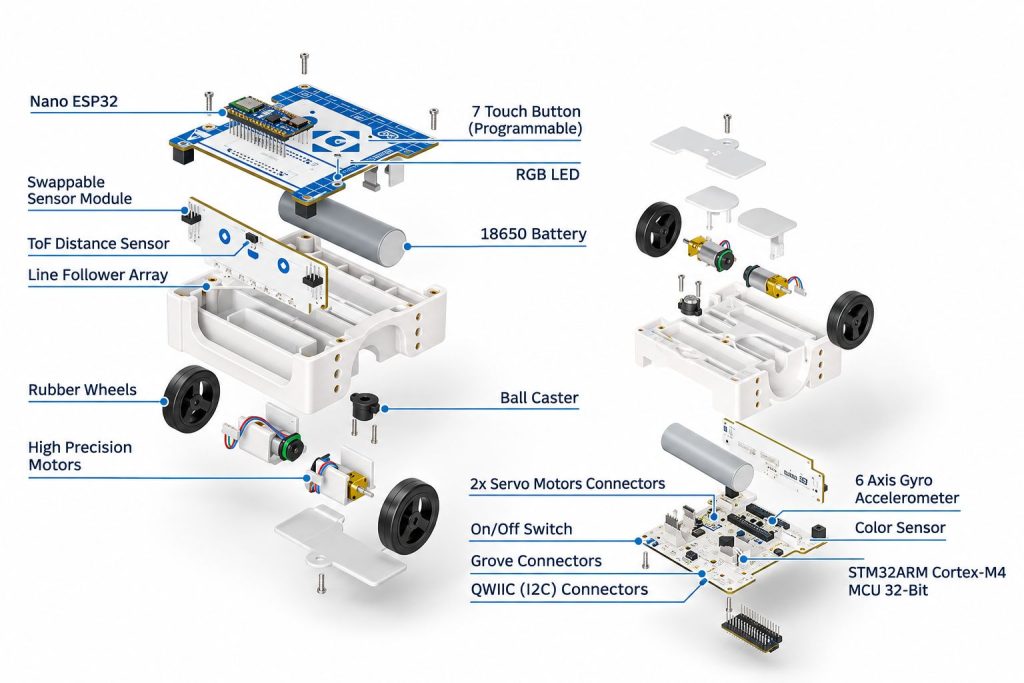
Alvik Internal Components

Connecting Arduino Alvik with PictoBlox

Connect Arduino Alvik to PictoBlox before programming its movement.

Follow the step-by-step instructions in the Arduino Alvik Connection Guide.
CTR of Arduino Alvik Connection Guide

Read More

PictoBlox Blocks

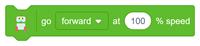
This block moves the Arduino Alvik in the selected direction at the specified speed percentage. It can be used to move the robot forward, backward, left, or right.
This block moves Arduino Alvik in the selected direction at the specified speed for a defined duration. The robot stops when the specified time is complete.
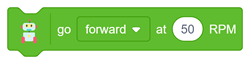
This block moves Arduino Alvik in the selected direction at the specified wheel speed, measured in revolutions per minute (RPM). It is useful when more precise wheel-speed control is required.
This block moves Arduino Alvik at the specified RPM for a selected duration. The robot stops after the specified time has elapsed.
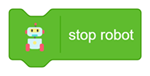
This block sends a stop command to both drive motors, stopping Arduino Alvik’s movement.
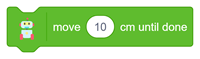
This block moves Arduino Alvik by the specified distance in centimetres using wheel encoder feedback. The block waits until the movement is completed before executing subsequent blocks.
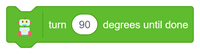
This block rotates Arduino Alvik by the specified angle in degrees and waits for the rotation to finish before executing the next block.
This reporter block returns the robot’s estimated position or heading, including the X coordinate, Y coordinate, or orientation angle (theta). The position is estimated using the robot’s movement-tracking system.
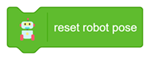
This block resets the robot’s estimated X position, Y position, and heading to zero, establishing a new reference position for movement tracking.
All articles loaded
No more articles to load

Python Functions

This function moves Arduino Alvik in the specified direction at the selected percentage speed.
Syntax: runrobot(1, 100)
This function moves Arduino Alvik in the selected direction at a specified speed for a defined duration in seconds.
Syntax: runrobottimed(1, 100, 1)
This function moves Arduino Alvik at the specified RPM for a defined duration.
Syntax: run_robot_rpm_timed(1, 50)
This function stops Arduino Alvik’s drive motors.
Syntax: stoprobot( )
This function moves Arduino Alvik by the specified distance in centimetres.
Syntax: move_distance(10)
This function rotates Arduino Alvik by the specified angle in degrees.
Syntax: rotate_angle( 90)
This function returns the selected estimated robot pose measurement, such as X position, Y position, or heading.
Syntax: get_pose_value(1)
This function resets the robot’s estimated position and heading.
Syntax: reset_robot_pose( )
All articles loaded
No more articles to load
Table of Contents