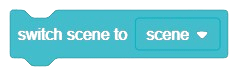
This block facilitates seamless transitions to your preferred scenes. For instance, if you’re currently viewing Scene 1 and wish to switch to Scene 2, simply select Scene 2 from the dropdown menu to enact the transition.
Table of Contents
Switch scene to ()
- PictoBlox Extension: 3D and XR Studio Global Control
- Type: Stack Block
Description
Example
There are no examples documented for this article.

- Scratch Based Default Extensions
- Artificial Intelligence
- Innovative Extensions
- Machine Learning Environment
- Quarky
- Quarky Intellio I2C Communication
- Quarky Advance Sensors Extension
- Quarky Connect
- Display (Quarky)
- Quarky (Main)
- Robot (Quarky)
- Sensors (Quarky)
- Speaker (Quarky)
- Quarky Ultimate Robots
- Quarky Expansion Board
- Mars Rover
- Humanoid (Quarky)
- Quadruped (Quarky)
- IoT House (Quarky)
- Quarky Mecanum
- Quarky Robotic Arm
- Dabble
- Quarky Advance Line Following