



Introduction
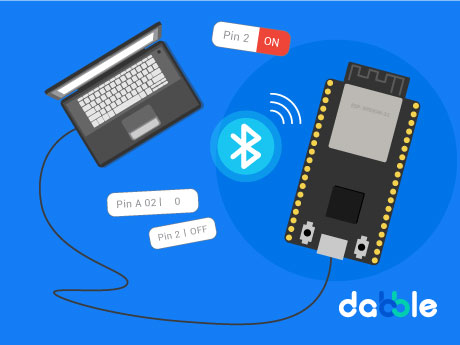
The ESP32 Pin State Monitor project is a simple and interactive IoT-based project that demonstrates how real-time monitoring can be used to observe and track the status of electronic pins. In this project, the ESP32 microcontroller is programmed using PictoBlox block coding to create a system that continuously reads and displays the state of its GPIO pins. The ESP32 acts as a smart monitoring device that detects whether connected pins are in HIGH or LOW condition.
When the ESP32 starts, it continuously checks and updates the current state of the selected pins in real time. Users can monitor pin activity and understand how digital inputs and outputs behave without manually testing each connection. This project helps beginners understand the basics of ESP32 programming, GPIO pin monitoring, real-time data reading, and hardware interaction. It also introduces students to IoT concepts and embedded system monitoring in an easy and practical way using graphical programming.
Prerequisites
Step 1
- ESP32
- Dabble App (Installed on your mobile/tablet)
- PictoBlox Software (Desktop )
Connecting Your ESP32 to Pictoblox Blocks
Step 2
- Click on the Board tab on the top navigation bar and select ESP32.
- Now, click on connect.
- Select your ESP32 from the Serial port list and click on Connect.
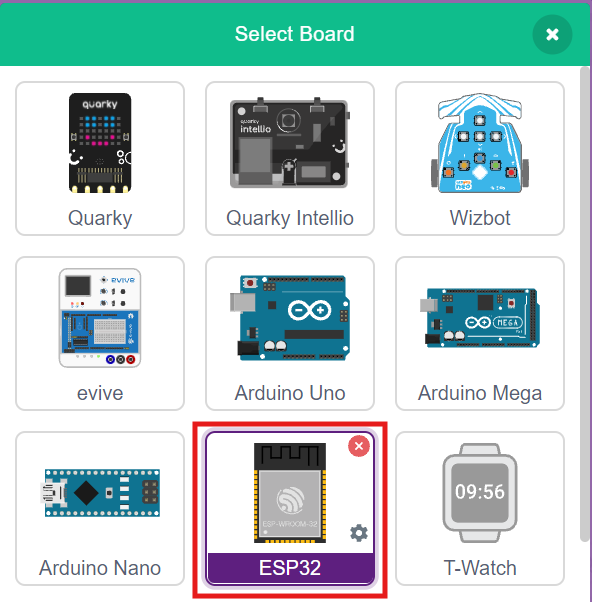
- ESP32 plays a confirmation sound on connecting.
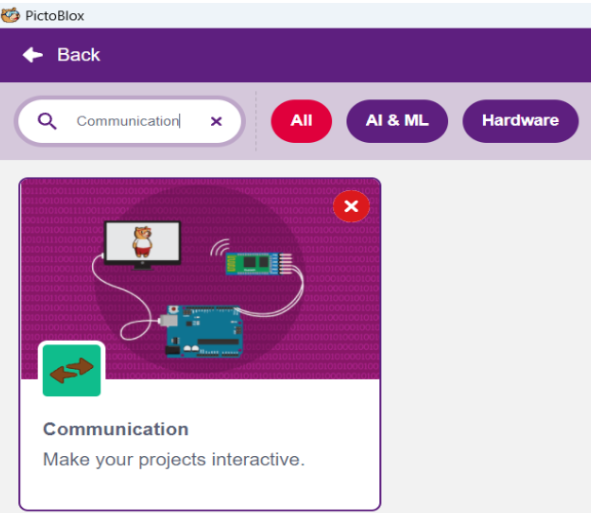
Step 3: Add the Communication Extension
Click on the Extensions button and add the Communication extension. This Communication Extension in PictoBlox is used to enable wireless and wired communication between devices, computers, and microcontrollers. This extension allows users to connect hardware such as ESP32, Arduino, Quarky, and other supported boards to exchange data and control devices in real time. It plays an important role in IoT and smart automation projects.
Using the Communication Extension, students can create projects that involve Bluetooth communication, Wi-Fi communication, serial communication, and cloud-based data transfer. The extension provides easy-to-use blocks that help beginners understand communication concepts without writing complex code.
Step 4: Change Upload Mode
To run this project correctly, change the mode from Stage Mode to Upload Mode in PictoBlox. Upload Mode is used to upload the block code directly into the ESP32 board. After changing the mode, connect the ESP32 using a USB cable and upload the program. Once uploaded, the ESP32 will start working and enable wireless LED control through Bluetooth.
Block-by-Block Guide
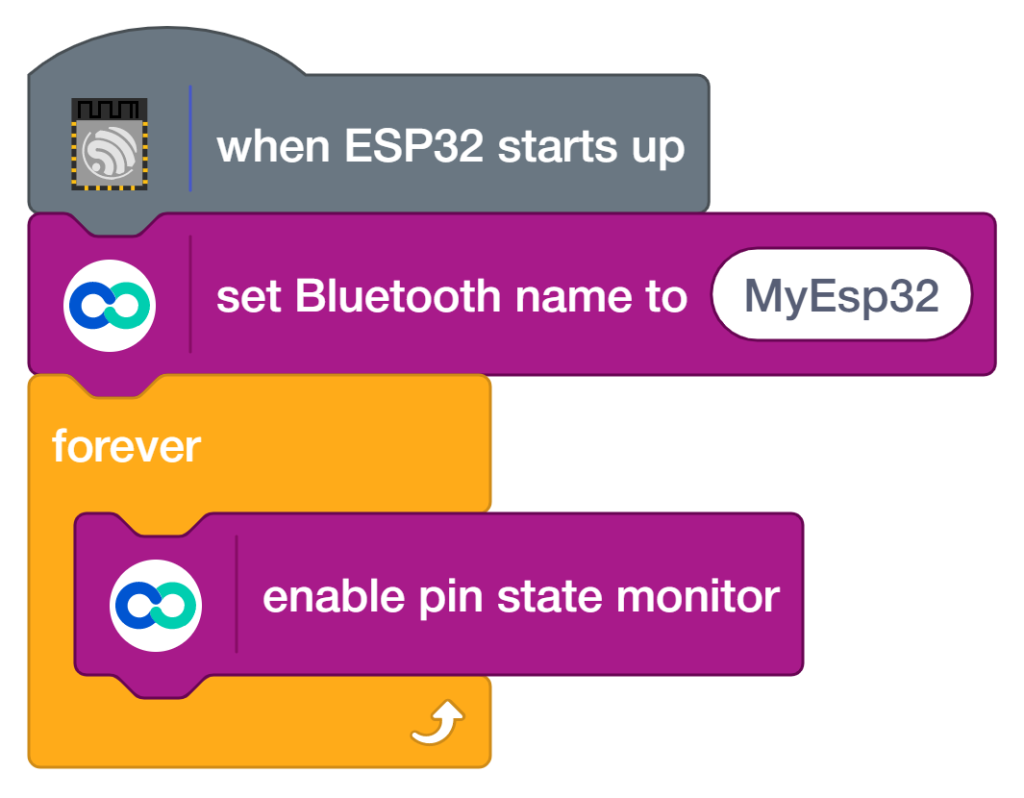
Step 5: Upload the code
- Add the ‘When ESP32 starts up’ block – The program starts automatically when the ESP32 board is powered ON.
- Monitor pin states – This block continuously reads and checks the status of the selected GPIO pins on the ESP32 board to detect whether they are in HIGH or LOW state.
- Drag the ‘forever’ block from the Control palette – The blocks inside this loop run continuously without stopping.
- display/update pin status – This block continuously updates the monitored pin values in real time, allowing users to observe changes in pin conditions and understand hardware interaction.
Step 5:
Dabble app Install Playstore and How to Use Dabble app.
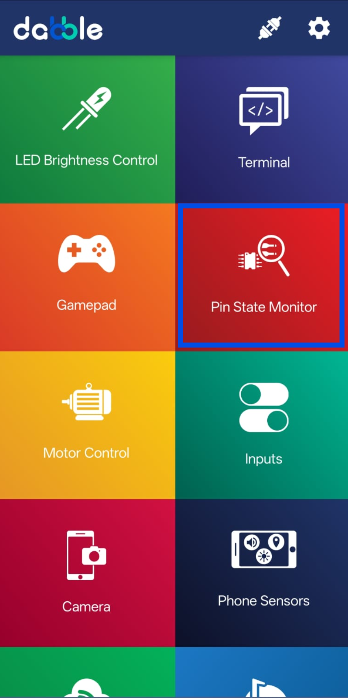
- Connect the ESP32 with the Dabble app using Bluetooth.
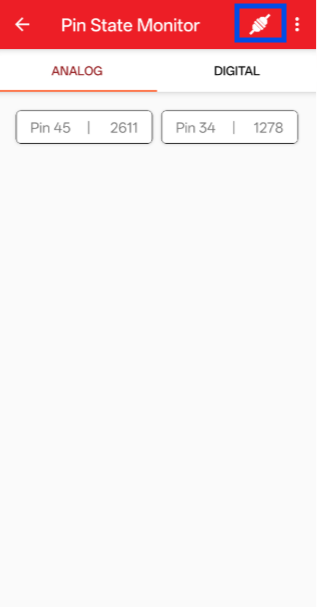
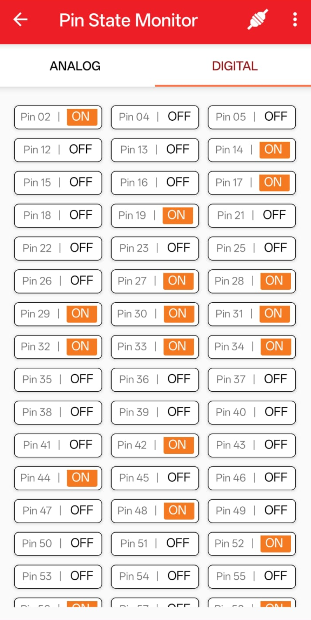
Output
Conclusion
In this project, we used PictoBlox block coding to create a Pin State Monitoring system using the ESP32 board. The blocks used in this project include when the ESP32 starts up, monitor pin states forever, and display/update pin status. These blocks help continuously read and monitor the condition of GPIO pins and show whether the pins are in HIGH or LOW state in real time.