

Storage (Quarky Intellio)
Extension Description
The Storage (Quarky Intellio) extension allows users to manage files and directories using the SD card and internal storage of Quarky Intellio.
-
Available in: Block Coding, Python Coding
-
Mode: Stage Mode, Upload Mode
-
WiFi Required: Yes
-
Compatible Hardware in Block Coding: Quarky Intellio
-
Compatible Hardware in Python: Quarky Intellio
-
Object Declaration in Python: intellio = QuarkyIntellio()
Introduction
The Storage (Quarky Intellio) extension allows users to manage files and directories using the SD card and internal storage of Quarky Intellio. It provides blocks and Python functions to create, read, update, delete, and organize files and folders.
Using this extension, you can:
- Initialize and access the SD card.
- Check whether the SD card is properly mounted.
- View the current working directory.
- Navigate between folders in the storage system.
- List files and folders in a directory.
- Create and delete files or folders.
- Rename existing files.
- Add content to files without overwriting existing data.
This extension is useful when working with data logging, file management, audio/image storage, and project data handling using Quarky Intellio.
Connecting Quarky Intellio with PictoBlox
Let’s begin by first connecting Quarky Intellio to PictoBlox. Follow the step-by-step instructions in the Quarky Intellio Connection Guide to establish the connection.
Refer to the guide here:

Read More
PictoBlox Blocks
All articles loaded
No more articles to load
Python Functions
This function initializes the SD card for storage operations.
Syntax: initializeSd( = )
This function checks whether the SD card is mounted and ready.
Syntax: ismounted( )
This function returns the current directory path.
Syntax: getcurrentdir( )
This function changes the current directory to the specified directory. For example, if you are currently in C:\Users\OneDrive\Pictures, you can change the directory to C:\Users\OneDrive\Pictures\Screenshots.
Syntax: changecurrent_dir( )
This function lists all files and folders in the current directory.
Syntax: listfiles( )
This function navigates to the root directory of storage.
Syntax: gotoflashroot( )
This function creates a new file with the specified name in the current directory. If the current directory is C:\Users\OneDrive\Pictures, the new file will be created there.
Syntax: makefile(NAME)
This function creates a new folder with the specified name in the current directory. If the current directory is C:\Users\OneDrive\Pictures, the new folder will be created there.
Syntax: makefolder(NAME)
This function deletes a file with the specified name in the specified folder.
Syntax: deletefile(NAME)
This function deletes a folder with the specified name in the specified folder.
Syntax: deletefolder(NAME)
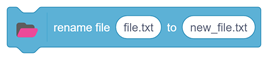
This function renames a file in the specified folder.
Syntax: renameFile(FILE, NEW_NAME)
This function appends data to an existing file.
Syntax: addcontent(DATA, FILE)
All articles loaded
No more articles to load
Table of Contents