

Speaker (Quarky Intellio)
Extension Description
This Speaker (Quarky Intellio) extension provides blocks and Python functions to play predefined sounds, audio files, online audio, and spoken text.
-
Available in: Block Coding, Python Coding
-
Mode: Stage Mode, Upload Mode
-
WiFi Required: Yes
-
Compatible Hardware in Block Coding: Quarky Intellio
-
Compatible Hardware in Python: Quarky Intellio
-
Object Declaration in Python: intellio = QuarkyIntellio()
Introduction
The Speaker (Quarky Intellio) extension allows users to play sounds, generate tones, and use text-to-speech through the built-in speaker. It provides blocks and Python functions to play predefined sounds, audio files, online audio, and spoken text.
Using this extension, you can:
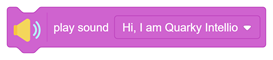
- Play predefined sounds from the device.
- Play audio files stored on the device.
- Play audio files until playback finishes.
- Play audio files stored in the device’s flash memory.
- Stream and play audio from a URL.
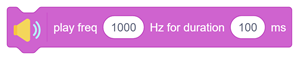
- Generate tones using specific frequencies.
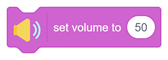
- Adjust the speaker volume.
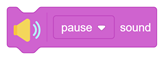
- Pause or resume audio playback.
- Stop currently playing audio.
- Retrieve the current playback time.
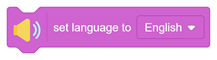
- Configure the text-to-speech language.
- Select a male or female voice for speech synthesis.
- Convert text into spoken audio.
This extension is useful when creating interactive projects, voice feedback systems, alerts, sound effects, and text-to-speech applications using Quarky Intellio.
Connecting Quarky Intellio with PictoBlox
Let’s begin by first connecting Quarky Intellio to PictoBlox. Follow the step-by-step instructions in the Quarky Intellio Connection Guide to establish the connection.
Read More
PictoBlox Blocks
All articles loaded
No more articles to load
Python Functions
This function plays a predefined sound or voice line through the speaker. Example 1 = Hi, I am Quarky Intellio. 2 = Turn Left. etc.
Syntax: playfile(‘1’)
This function plays an audio file stored on the device or project.
Syntax: playosund(“file name”, ‘1’)
This function plays an audio file and waits until playback finishes.
Syntax: playsounduntildone(“file name”, ‘1’)
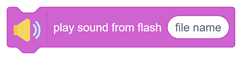
This function plays an audio file stored in the internal flash memory.
Syntax: playfromflash(“file name”)
This function plays an audio file from a web link.
Syntax: playURL(“https://dl.espressif.com/dl/audio/ff-16b-2c-44100hz.mp3”)
This function sets the speaker volume level of Quarky Intellio. The volume level can be set between 0 (silent) and 100 (maximum volume).
Syntax: setspeakervolume(50)
This function returns the current playback time of the audio in milliseconds.
Syntax: getplayedtime( )
This function sets the language used for text-to-speech.
Syntax: setlanguage( )
This function converts text into speech.
Syntax: speakTTS( )
All articles loaded
No more articles to load
Table of Contents