

RGB LED (Quarky Intellio)
Extension Description
This extension allows users to control the RGB LED of Quarky Intellio directly from PictoBlox.
-
Available in: Block Coding, Python Coding
-
Mode: Stage Mode, Upload Mode
-
WiFi Required: Yes
-
Compatible Hardware in Block Coding: Quarky Intellio
-
Compatible Hardware in Python: Quarky Intellio
-
Object Declaration in Python: intellio = QuarkyIntellio()
Introduction
The RGB (Quarky Intellio) extension allows users to control the RGB LED of Quarky Intellio directly from PictoBlox. It provides blocks and Python functions to adjust the color and brightness of the RGB LED, switch it off, and customize individual color components (Red, Green, Blue).
Using this extension, you can:
- Set the LED color to any combination of Red, Green, and Blue.
- Adjust the brightness of the RGB LED (0-100).
- Turn the RGB LED off when not needed.
- Retrieve and set individual Red, Green, and Blue values.
- Modify the LED color using the HEX code for precise control.
This extension is useful for creating interactive lighting effects, visual feedback, and color-based indicators in Quarky Intellio-based projects.
Connecting Quarky Intellio with PictoBlox
Let’s begin by first connecting Quarky Intellio to PictoBlox. Follow the step-by-step instructions in the Quarky Intellio Connection Guide to establish the connection.
Read More
PictoBlox Blocks
Python Functions
This function sets the LED color and brightness. The color is specified using RGB values (Red, Green, Blue), and the brightness is an integer between 0 and 100.
Syntax: setled(color, brightness)
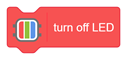
This function turns off the onboard RGB LED.
Syntax: turnoffled( )
This function sets the individual Red, Green, and Blue values. The range for each color is from 0 to 255.
Syntax: setRGB(red, green, blue)
All articles loaded
No more articles to load
Table of Contents