Quarky Intellio (Main)

Quarky Intellio Extension
Extension Description
Read sensor inputs, control outputs, move servo motors, manage timing operations, perform value conversions, and enable wireless connectivity.

Introduction

The Quarky Intellio extension allows users to control the core hardware features of Quarky Intellio directly from PictoBlox. It provides blocks and Python functions to read sensor inputs, control outputs, move servo motors, manage timing operations, perform value conversions, and enable wireless connectivity.

Using this extension, you can:

  1. Upload code to Quarky Intellio in Upload Mode using the when Quarky Intellio starts up block.
  2. Read digital input from connected sensors or devices.
  3. Read analog input values from pins such as A1.
  4. Control digital outputs by setting pins HIGH or LOW.
  5. Generate PWM output values for devices like LEDs or motors.
  6. Control servo motors by setting them to a specific angle.
  7. Move a servo to a specified angle over a defined duration.
  8. Use timer functions to measure or reset elapsed time.
  9. Perform mathematical conversions such as casting values or mapping ranges.
  10. Connect Quarky Intellio to Wi-Fi networks.
  11. Start Quarky Intellio as a hotspot for wireless communication.
  12. Retrieve the IP address of the connected device.

This extension is useful when working with core input–output operations, servo control, timing, and wireless connectivity features of Quarky Intellio.
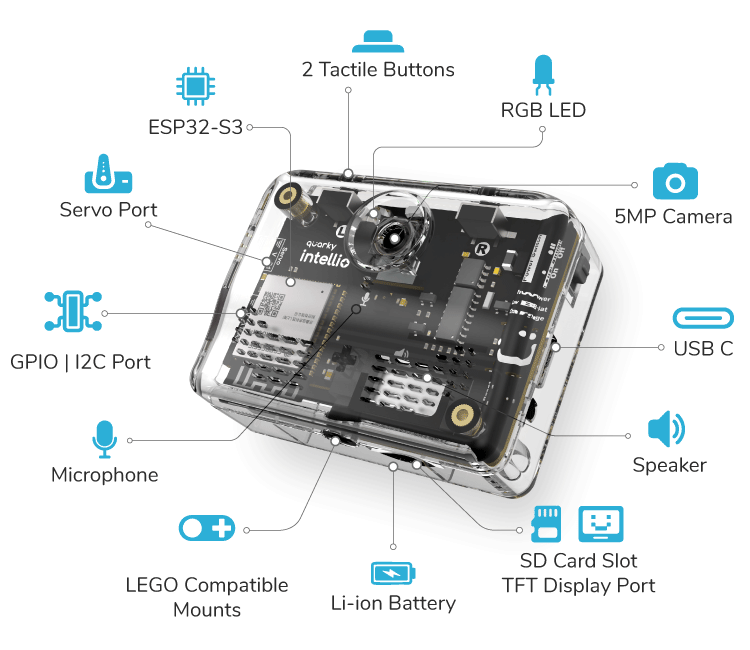
Connecting Quarky Intellio with PictoBlox

Let’s begin by first connecting Quarky Intellio to PictoBlox. Follow the step-by-step instructions in the Quarky Intellio Connection Guide to establish the connection.

Refer to the guide here:

Connection Guide Redirection Page

Read More

PictoBlox Blocks

This is a Hat block. Scripts under this block get converted into Python code when you are in Upload Mode. Use it to run code automatically after uploading it to Quarky Intellio.
The block reads the digital value of a sensor connected to the specified pin and returns True or False. The pins can be set to A1, A2, and S1.
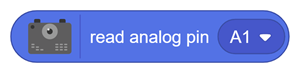
The block reads the analog value of the sensor connected to the specified pin and returns an integer value between 0 and 4096. The pins can be set to A1 and A2.
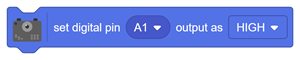
The block sets the digital state of the specified pin to LOW or HIGH (0V or 3.3V). The pins can be set to A1, A2, and S1
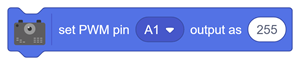
The block sets the PWM output of the specified pin to the given value between 0 and 255. The pins can be set to A1, A2, and S1.
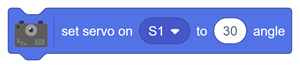
This block moves the connected servo motor to the specified angle position.
This block moves the servo motor to the given angle gradually within the specified time.
The block reports the current timer value in milliseconds. When enabled, it displays the corresponding value on the stage.
The block resets the timer value to 0.
This block converts the given value to the selected data type, such as an integer or a float.
The block maps a value from one range to another. Commonly used for converting 8-bit values (0–255) into 12-bit values (0–4095). This block works like the standard “map” function.
This block connects Quarky Intellio to a Wi-Fi network using the specified SSID and password.
This block starts Quarky Intellio as a Wi-Fi hotspot with the specified network name and password.
This block returns the IP address of Quarky Intellio when it is connected to a network.
All articles loaded
No more articles to load

Python Functions

 The function reads the digital value of a sensor connected to the specified pin and returns True or False. The pins can be set to A1, A2, and S1.
Syntax: readdigitalinput( A1)
The function reads the sensor’s analog value on the specified pin and returns an integer between 0 and 4096. The pins can be set to A1 and A2.
Syntax: readanaloginput(A1)
The function sets the specified pin’s digital state to LOW (0V) or HIGH (3.3V). The pins can be set to A1, A2, and S1.
Syntax: setdigitaloutput(‘2’,‘1’)
The function sets the PWM output of the specified pin to the given value between 0 and 255. The pins can be set to A1, A2, and S1.
Syntax: setanalogoutput(‘2’,’255’)
All articles loaded
No more articles to load
Table of Contents